Static form for a static site contact form
A static form is the contact box on a site that only publishes files. GitHub Pages, Netlify, Cloudflare Pages, Vercel, Hugo, Jekyll, Astro, and Eleventy can publish the page. They will not run PHP or store a mailbox password. This static form backend is one snippet: the browser posts to https://getformpost.com/api/submit, and the note lands in an inbox you already read.
Open an inbox
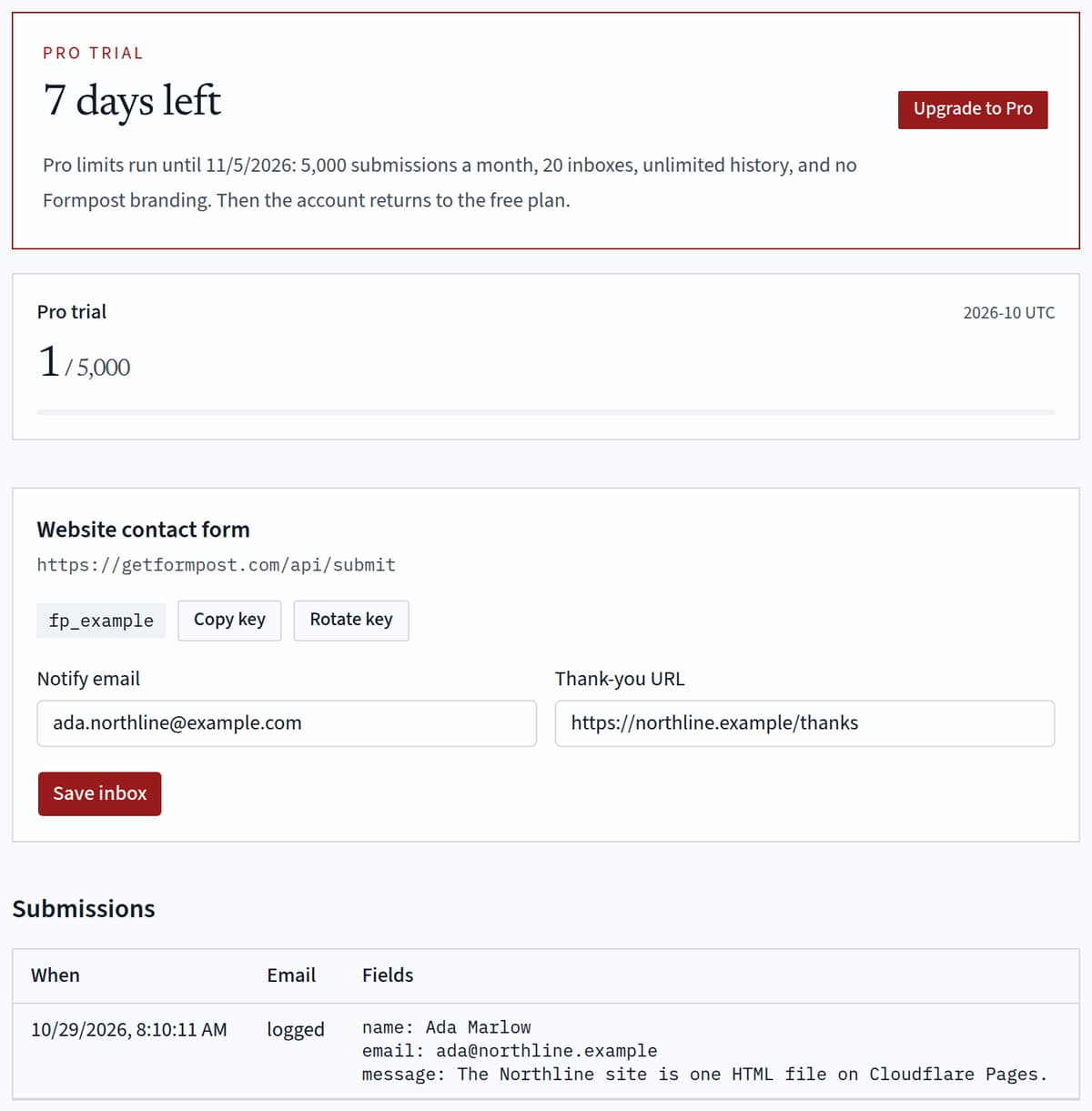
Create a free account and copy the access key. It is safe to publish in a static form. It delivers only to the notification address you saved. The free plan emails 100 submissions each UTC month, for one inbox. A new account has Pro limits for seven days, with no card. Pro after that is $12 a month.
Paste one snippet
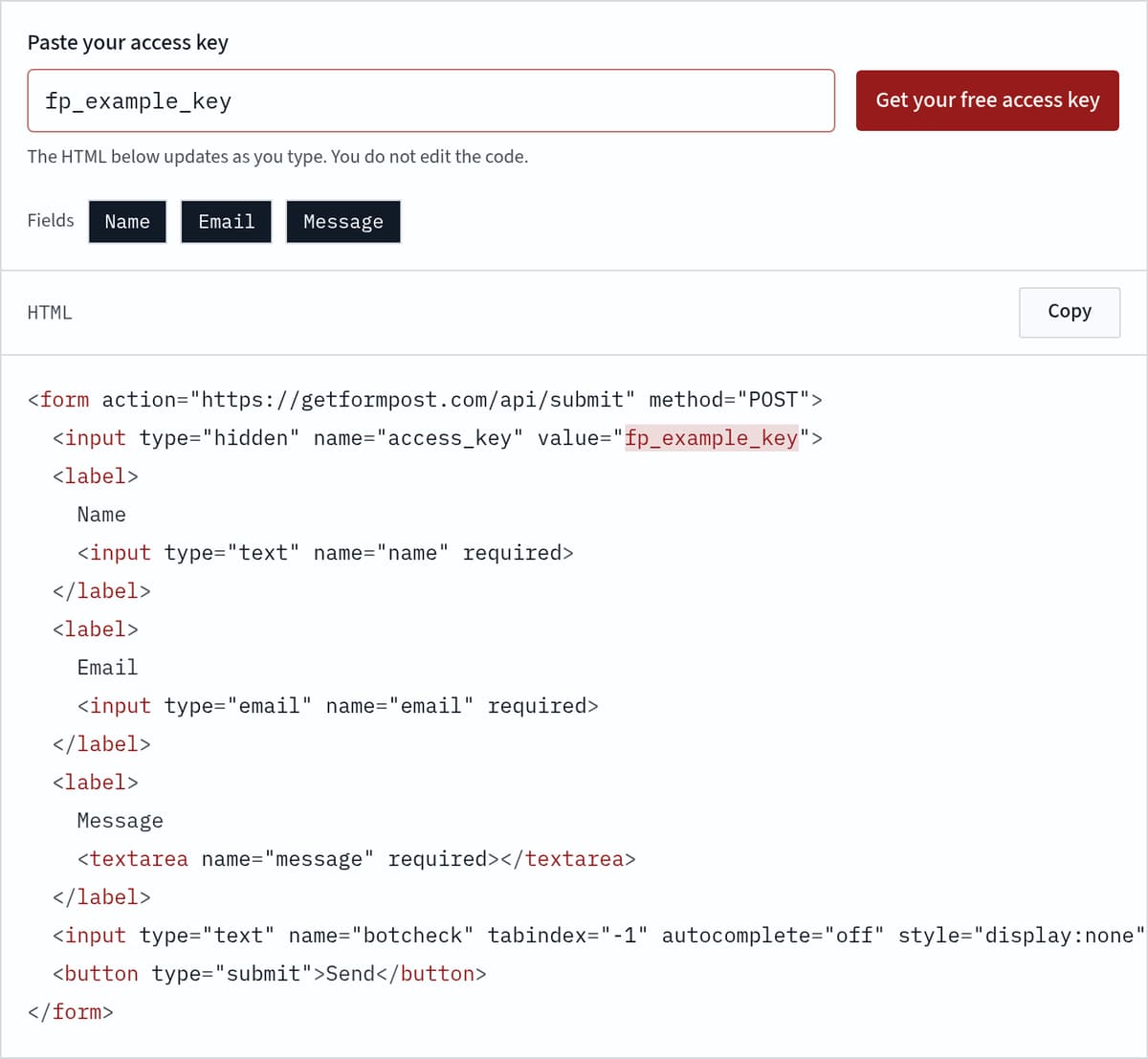
Copy the form under these steps. The action is the submit URL and the method is POST. A hidden input named access_key carries the key. Signed in, the box fills it. Otherwise paste the key, then copy. That markup is the snippet. It includes no script.
Submit from the live URL
Deploy the file the way you already deploy, then send one note from the public URL. A file opened from disk cannot post. Sent means the mailbox accepted the mail. Logged means the row is saved and mail is not connected yet. Do this once so you know the static form left the host.
The HTML below updates as you type. You do not edit the code.
HTML
<form action="https://getformpost.com/api/submit" method="POST">
  <input type="hidden" name="access_key" value="YOUR_ACCESS_KEY">
  <label>
    Name
    <input type="text" name="name" required>
  </label>
  <label>
    Email
    <input type="email" name="email" required>
  </label>
  <label>
    Message
    <textarea name="message" required></textarea>
  </label>
  <input type="text" name="botcheck" tabindex="-1" autocomplete="off" style="display:none" aria-hidden="true">
  <button type="submit">Send</button>
</form>
Contact form for static website hosts
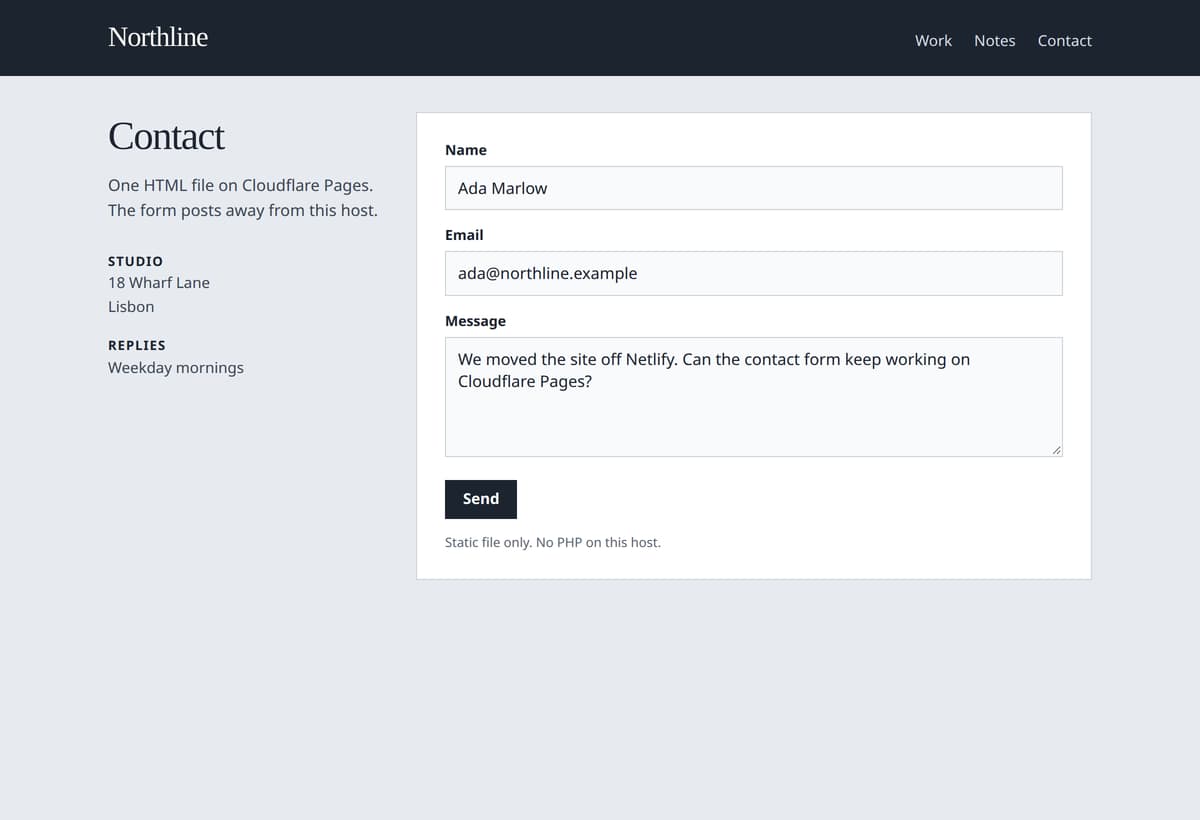
The button does nothing, or contact.php 404s, because a file host has no server. A widget would replace your markup. A static form keeps the markup and moves only the POST. Deploy the file. We drop obvious bots, store the text, and mail the notification address. The snippet still works if you leave Netlify for Cloudflare Pages, because the action never pointed at the host.
Paste the snippet
The static form backend is the HTML under the steps. Put the access key in the box labeled Paste your access key. The hidden field updates as you type, so you copy once. Anyone who can read the page can submit. They cannot change the recipient or read other messages. Rotate the key if an old page is still posting. Never commit a mailbox password beside the form.
Static site contact form on every host
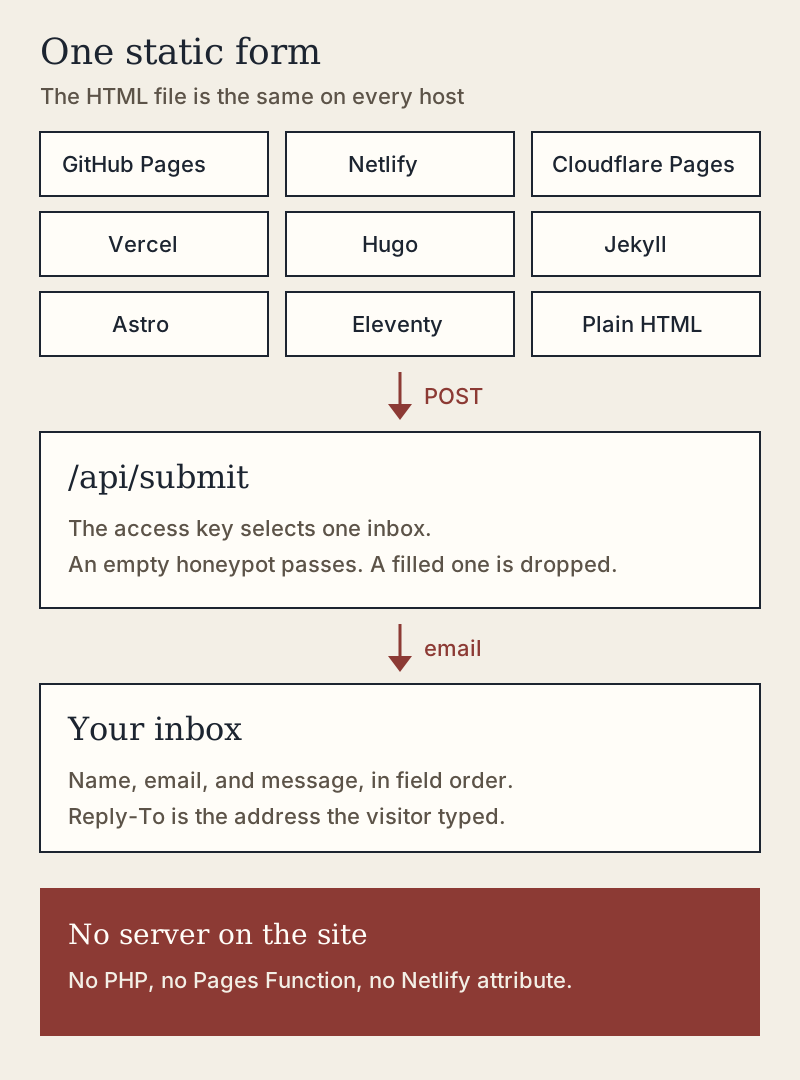
Each host below can publish the file, and each has a habit that blocks a form. Use an absolute action, skip any attribute that asks the host to capture the post, and test from the deployed URL. The static form endpoint is the same address on every one of them.
GitHub Pages contact form
GitHub Pages publishes a branch or a docs folder and will not accept the post itself. Put the form in an HTML file it serves. The action is https://getformpost.com/api/submit, so Pages never sees the POST. If Jekyll builds the site, use a layout so Markdown does not escape the HTML. A static form on GitHub Pages is that published file. Submit from the live URL, not from a file on disk.
Netlify forms alternative
Netlify Forms stores posts from a form with a netlify or data-netlify attribute. Those posts stay behind when the files move. Leave the attribute off and keep the absolute action. You do not add a Function. A static form keeps working after you leave Netlify, because the post never went there.
Cloudflare Pages contact form
Cloudflare Pages serves the build and has no form inbox. A Pages Function would mean a worker and a mail secret. Deploy the HTML instead. The browser posts to our host. Teams that leave Netlify lose Netlify Forms here. A static form on Cloudflare Pages needs no Pages Function and no wrangler secret.
A static website form on Vercel
A static form on Vercel is a file in public, or any page that still prints plain HTML. Do not post to a relative /api route you have not built. Preview and production both work, because the endpoint does not check the page host. There is no Vercel-only field, and a serverless function is optional.
A static form in Hugo, Jekyll, Astro, and Eleventy
Generators write HTML. They do not provide an inbox. Put the snippet in a layout, build, and upload the output. The access key may sit in the template or in a public build variable. Do not put a mail password in that variable. View source and confirm the action survived. If the snippet is missing from the built file, the button cannot post.
Hugo contact form
Goldmark escapes raw HTML in Markdown unless unsafe rendering is on. Skip that. Put a static form in layouts/partials/contact.html and call the partial from the contact layout. Deploy the public directory anywhere. The Hugo contact form is ordinary HTML, the same snippet as a hand-written page.
Jekyll contact form
A static form in a Jekyll layout has no Liquid tags, so the build leaves it alone. GitHub Pages runs Jekyll when the repo has a config file. Commit the layout and submit from the published URL. Do not add contact.php.
Astro contact form
An Astro page can hold the form as HTML. You do not need an island for a static form. Skip client:load and skip src/pages/api. A file in public is copied as-is. The browser posts the snippet after the build.
Eleventy, a jamstack form, and an html form without backend
Eleventy writes _site from a layout. Nunjucks and Liquid skip the snippet when it has no template tags. A jamstack form here is that file plus the hosted endpoint, not a function in the repo. With no generator, a static form is one contact.html on any https host. A file URL cannot submit.
Honeypot and the thank-you page
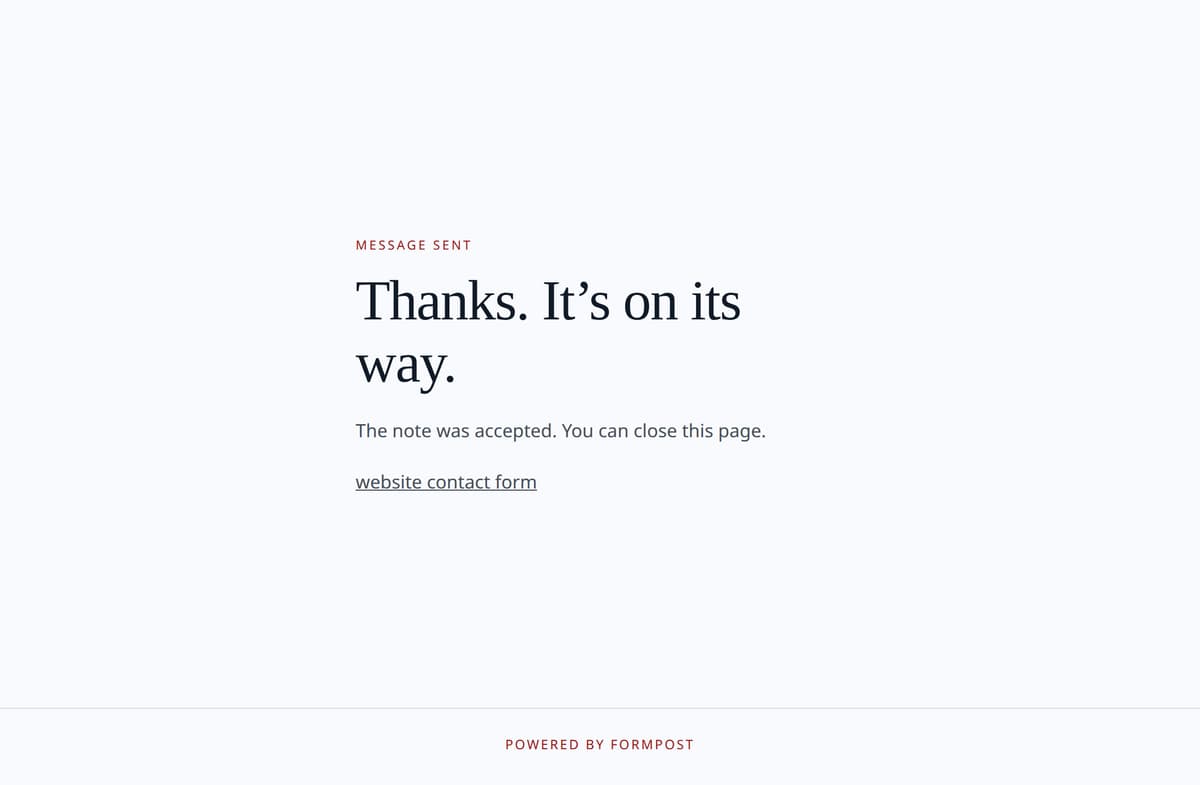
On a static form, spam protection is the honeypot and a short pause. The snippet adds botcheck, hidden with CSS and kept out of tab order. People leave it empty. A script that fills every input fills it too. The endpoint pretends the post succeeded, then discards it and stores nothing. The same IP and key can succeed about once every five seconds. The thank-you URL for a static form is saved on the inbox while you are signed in. Localhost http is allowed for a local test. A redirect field in the POST cannot send the browser elsewhere. With no saved URL, visitors see a short hosted thank-you page. JSON clients send Accept: application/json, or set _reply to json, and stay on the page.
Mailto, Netlify Forms, and EmailJS
Mailto opens a mail app and often never sends. Netlify Forms works only while the site stays on Netlify. EmailJS runs in the page and ships a public key that can spend the quota. A static form posts to one endpoint, keeps your HTML, and does not ask the host to run code.
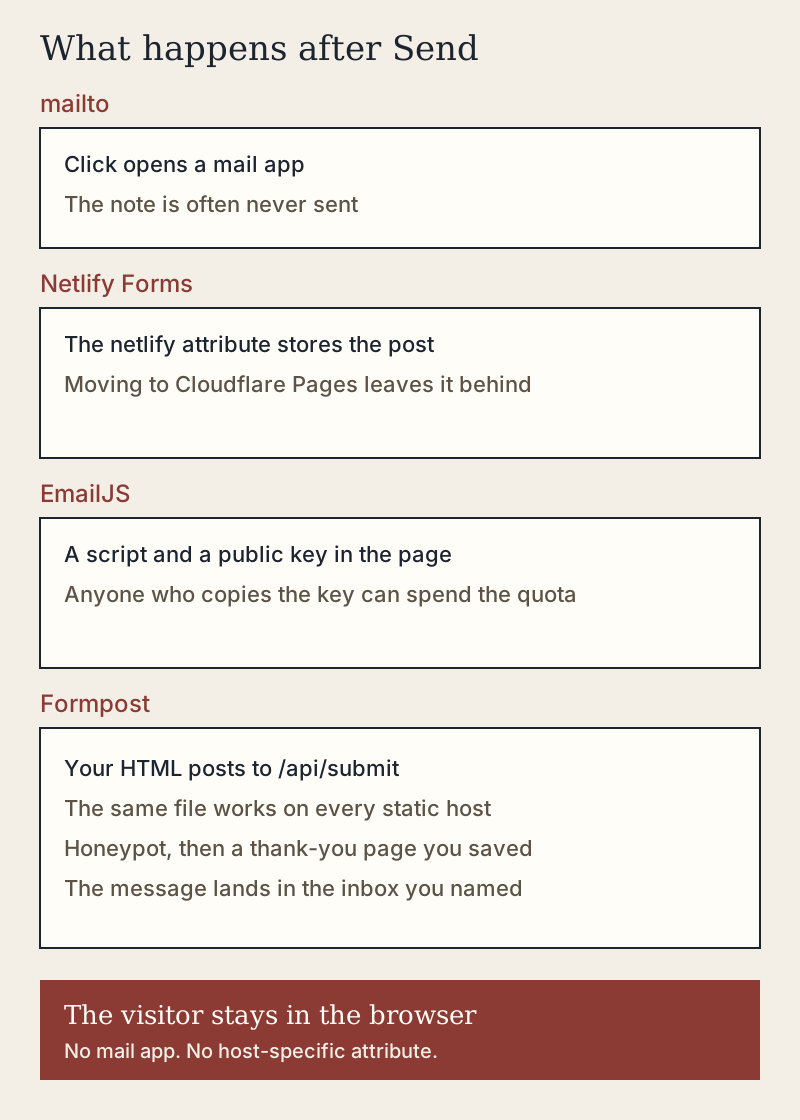
| mailto | Netlify Forms | EmailJS | Formpost | |
|---|---|---|---|---|
| Where it runs | The visitor mail app | Netlify, if you stay there | Browser JavaScript | The static form endpoint |
| Server on your site | None | None, and only on Netlify | None | None |
| If you change hosts | The link still opens a mail app | The form inbox is left behind | The script still runs | The same snippet |
| Secret in the page | The recipient address | Nothing public, host-bound | A public key that spends quota | An access key for one inbox |
| What the visitor sees | A compose window | The Netlify success page | Your page, after a script | Your page, then a thank-you |
| Spam control | None | Their filters | Their quota and rules | A honeypot and a short pause |
When nothing seems to arrive
A quiet inbox from a static form means the POST finished and the mail is the gap, or the host never sent. Check the action, the honeypot, and the spam folder before you replace the snippet.
The host ate the post
A static form that reloads your own domain never reached the endpoint. The action is relative, or a platform attribute captured the form. Netlify does that when netlify is set. Use the absolute submit URL and confirm the request goes to getformpost.com.
Nothing in the notification mailbox
Check the address a static form delivers to, then submit from a private window. Sent means the provider accepted the message. Logged means mail is not connected yet, which is normal on a new account and wrong on a public site. Failed means the static form saved the row and the send did not. The key in the page must be the current key.
Spam, the honeypot, and a locked month
Search spam for the inbox name and the visitor address. If someone submitted and you have no row, autofill probably filled botcheck. The snippet already hides it. Past 100 submissions in a UTC month, the free plan locks the next post and does not email the fields. You do not replace the static form to raise the cap. Pro is $12 a month for 5,000 submissions and 20 inboxes. Past 5,000 the post is refused. New accounts get seven days of Pro limits, with no card.
Where to read next
The parent page is the website contact form. The request and the locked redirect are on form to email. Markup without these host notes is contact form html send to email. Limits are on pricing and the free contact form page. Those pages describe the same static form endpoint.
Frequently asked questions
These notes cover the first real visitor: a host that swallowed the post, a honeypot that caught a person, a thank-you page that never opened, and a form that was fine the whole time.
Start on the free plan
Create an account and copy the first snippet. The free plan covers one static form: 100 emails each UTC month, and one inbox. Pro is $12 a month for 5,000 submissions or more than one site. The cap is on the free contact form page, and checkout is on pricing.
Create a free account